

TL;DR
The right email service provider depends on what you send (transactional, marketing, bulk, cold outreach, or agency resale), how much control you need over IP reputation, and whether your team can handle technical setup or needs managed support. This guide compares nine providers across pricing, dedicated IP availability, deliverability controls, and real user sentiment. DirectinboxSMTP is the top recommendation for teams wanting managed SMTP with dedicated IPs and hands-on support, while Amazon SES suits technical teams on a budget and Postmark excels at transactional email.
Quick Recommendations
- Best managed SMTP and dedicated IP option: DirectinboxSMTP
- Best low-cost developer infrastructure: Amazon SES
- Best mature API and marketing hybrid: SendGrid
- Best developer API and routing: Mailgun
- Best transactional email focus: Postmark
- Best EU collaboration platform: Mailjet
- Best all-in-one SMB marketing suite: Brevo
- Best simple SMTP relay with strong support: SMTP2GO
- Best high-volume SMTP to vet carefully: SMTP.com
Compare SMTP pricing plans to see which tier fits your sending volume.
At-a-Glance Comparison Table
| Provider | Best For | Starting Price | Dedicated IP | Key Strength | Biggest Tradeoff |
|---|---|---|---|---|---|
| DirectinboxSMTP | Managed SMTP, bulk email, agencies | $99/mo (Standard) | Included in plans | Hands-on setup, white-label reseller | Limited public reviews and docs |
| Amazon SES | Developers, AWS teams | $0.10 per 1,000 emails | Add-on from $24.95/mo per IP | Lowest infrastructure cost | DIY setup, steep learning curve |
| SendGrid | API + marketing at scale | $19.95/mo (Essentials) | Pro tier and above | Mature API, broad ecosystem | Support and shared IP complaints on lower tiers |
| Mailgun | Developer API, SMTP relay | $15/mo (Basic) | Varies by plan | API quality, logs, routing | Pricing escalation, developer-first |
| Postmark | Transactional email | $15/mo (10k emails) | 300k+ emails/mo required | Transactional focus, strong support | Not cheapest at scale, not a marketing suite |
| Mailjet | EU teams, collaboration | Free (6k/mo); Starter $9/mo | 100k+ plans | Collaborative editor, EU presence | Tiered support, lighter automation |
| Brevo | SMB marketing + CRM | Free (300/day); Starter $9/mo | Enterprise add-on | All-in-one engagement | Not for cold outreach |
| SMTP2GO | Simple SMTP relay | Free (1k/mo); ~$10/mo Starter | Professional plan | Ease of use, support reputation | Higher cost at high volume |
| SMTP.com | High-volume SMTP relay | $25/mo (Essential) | Available | Volume focus | Mixed reviews, billing complaints |
What Is an Email Service Provider?
An email service provider is a platform that helps businesses send, manage, track, and optimize email at scale. The term covers a wide range of tools, from full marketing automation platforms to bare-bones SMTP relay services. Modern ESPs typically include some combination of SMTP relay, API endpoints, templates, analytics dashboards, suppression list management, bounce handling, and deliverability tools.
It helps to distinguish between the main categories:
- Email marketing ESP: Tools like Brevo or Mailjet that offer campaign builders, segmentation, automation, and analytics alongside sending infrastructure.
- Transactional email provider: Services like Postmark that prioritize password resets, receipts, order confirmations, and other triggered messages where speed and reliability matter most.
- SMTP relay or SMTP service provider: Infrastructure-focused platforms (SendGrid, Mailgun, DirectinboxSMTP) that accept email via SMTP or API and handle delivery at scale.
- Mailbox provider: Gmail, Outlook, Yahoo. These are where recipients read email, not where businesses send campaigns.
- Cold email infrastructure: Specialized setups for outbound prospecting, often involving multiple domains, IP rotation, and warmup sequences.
Global daily email traffic is projected to reach roughly 392.5 billion messages in 2026, which means competition for inbox space is only intensifying. The provider you pick should match your sending type, technical capacity, and volume. A SaaS company sending 50,000 password resets per day has completely different needs than a marketing agency blasting 500,000 promotional emails per month.
How to Choose an Email Service Provider
Most comparison articles list features and call it a day. That approach fails because two providers with identical feature lists can produce wildly different results depending on your use case, volume, and team skills.
Use this five-point framework instead.
1. Use-Case Fit
Start by identifying what kind of email you actually send:
- Transactional: Password resets, receipts, OTPs, shipping notifications. These must arrive fast and reliably.
- Marketing: Newsletters, promotional campaigns, lifecycle sequences. These need segmentation, templates, and analytics.
- Bulk SMTP: High-volume campaign sends routed through SMTP relay.
- Cold outreach: Prospecting and lead generation. This carries the highest deliverability risk.
- Agency or reseller: Multiple client accounts, white-labeling, subaccounts, and branded platforms.
No single provider is “best for everyone.” The right email service provider depends on which of these categories dominates your sending.
For agencies needing white-label capability, consider a reseller email service that supports branding and client separation.
2. Reputation-Control Fit
Shared IPs are easier to start with and often better for low-volume senders, because the provider manages pool reputation across many customers. Dedicated IPs give reputation isolation, meaning your sending behavior alone determines your IP reputation, but they require consistent volume and proper warmup to build trust with mailbox providers.
A common mistake: assuming a dedicated IP automatically means better deliverability. AWS documentation explicitly recommends shared IPs for senders without large, regular, predictable volume, because a dedicated IP with inconsistent sending can actually hurt inbox placement. Practitioners on LinkedIn echo this point. Ken Simpson argued in a widely shared post that dedicated IPs are frequently oversold as a deliverability cure, while modern mailbox filtering weighs domain reputation and authentication alignment more heavily than IP alone.
3. Technical-Ops Fit
Who owns the plumbing matters. Developers can handle API integration, webhook processing, IAM configuration, suppression logic, and monitoring dashboards. Non-technical teams often need managed setup, DNS configuration help, and direct access to support when something breaks.
If your team does not have engineering resources to manage raw infrastructure, a managed SMTP service provider will save time and reduce mistakes.
4. Cost-at-Scale Fit
Starting prices tell you almost nothing. The real cost of an ESP includes overages, dedicated IP fees, email validation credits, log retention limits, support tier upgrades, warmup consulting, and engineering time.
Amazon SES charges $0.10 per 1,000 emails, which looks unbeatable. But practitioners on Reddit consistently point out that production hardening (DMARC setup, bounce and complaint handling, sandbox exit, suppression management, DNS propagation) takes real engineering hours. One commenter framed SES as cheap “if someone already owns the plumbing.”
Ask what your cost looks like at 10k, 100k, 500k, and 1 million emails per month, not just at the entry tier.
5. Compliance and Support Fit
Google requires all senders to authenticate with SPF or DKIM for Gmail delivery. Bulk senders exceeding 5,000 messages per day must set up SPF, DKIM, and DMARC. Marketing messages at that threshold must also support one-click unsubscribe.
Your email service provider should help with these requirements, not leave you to figure them out alone. Check whether the provider supports custom return-path domains, reverse DNS for dedicated IPs, bounce and complaint feedback loops, suppression list management, and GDPR-friendly workflows.
Support channels matter more than most buyers realize. Email problems are urgent: failed password resets cost users, blocked campaigns miss launch windows, and blocklist incidents damage revenue. Compare providers on actual support access (self-serve docs, email tickets, live chat, phone, dedicated account management) rather than just feature checkboxes.
The 9 Best Email Service Providers in 2026
1. DirectinboxSMTP

Best for: Managed SMTP and bulk email with dedicated IPs, hands-on onboarding, and agency/reseller white-labeling.
DirectinboxSMTP is the recommended choice for businesses and agencies that want a managed SMTP server provider rather than a raw API-first platform. It targets non-developer teams, ecommerce companies, marketing agencies, and lead generation firms that need dedicated IP access, SPF/DKIM/DMARC setup help, and direct human support without building infrastructure from scratch.
Pricing:
- Basic: $55 (valid 5 days)
- Standard: $99/month
- Premium: $155/month
- Enterprise: $255/month
- Cluster: $355/month
- Custom plans available
No conventional free trial is advertised. A paid short-term Basic plan is the entry point, and reseller accounts do not offer trials due to private labeling requirements. Sales contact is via WhatsApp and contact form.
Key features:
- Dedicated IPs with IP management on higher tiers
- SPF, DKIM, DMARC, and rDNS setup
- Bounce and spam complaint management
- Throughput caps from 1k to 10k emails/hour depending on plan
- 100% white-label reseller option for agencies
- 24/7 multi-language support via phone, email, Skype, and WhatsApp
- Compatible with desktop mailers (Outlook, MaxBulk, SendBlaster, Turbo Mailer)
- AI optimization for send-time, IP rotation, and engagement improvements
Tradeoffs:
- Limited public technical documentation and no published API/webhook docs
- No public third-party reviews found on G2, Trustpilot, or Reddit as of mid-2026
- No published SOC 2, ISO 27001, or audited deliverability benchmarks
- Some plan detail inconsistencies across pages can create buying friction
Verdict: Best if you want managed SMTP and bulk email delivery with dedicated IPs, onboarding support, and reseller options. Not the best fit if you need a developer-first API platform with extensive public documentation and broad third-party review proof.
For high-volume campaign sending, check the bulk email services page for additional plan details.
2. Amazon SES
Best for: Developers and AWS-integrated teams that want the lowest per-email sending cost.
Amazon SES is the budget king for technical teams. Its headline rate of $0.10 per 1,000 emails is hard to beat. But that price buys infrastructure, not a managed service. You handle DNS, IAM roles, suppression lists, bounce and complaint processing, sandbox exit, and monitoring yourself.
Pricing:
- $0.10 per 1,000 emails
- Standard dedicated IPs: $24.95/month per IP
- Managed dedicated IPs: $15/month fixed fee plus per-message usage
- Virtual Deliverability Manager available as a paid add-on
Key features:
- API and SMTP sending
- Deep AWS ecosystem integration
- Shared IPs by default with dedicated IP options
- Managed dedicated IPs that automate warmup and ISP-level scaling
User sentiment:
G2 shows 200 reviews with users praising reliability, cost-effectiveness, and high-volume handling. Recurring complaints center on steep learning curve, poor customer support, and a bare-bones interface. On Reddit, developers discussing SES in 2026 said production readiness involves significant setup work including DMARC configuration, bounce processing, and DNS propagation.
Tradeoffs:
- Not beginner-friendly at all
- Production sandbox exit can block new senders
- Engineering time is the hidden cost
- No built-in marketing campaign tools
- Support is limited unless you pay for AWS support plans
Verdict: Best if you have developers and want rock-bottom sending costs. Not the right choice if you want guided onboarding or a non-technical campaign workflow.
3. SendGrid
Best for: Teams needing a mature email API combined with marketing campaign tools at scale.
Twilio SendGrid is one of the most recognized names in the SMTP service provider space. It offers both transactional API sending and a marketing campaigns module, making it a hybrid option for larger organizations.
Pricing:
- Free trial available
- Essentials: from $19.95/month
- Pro: from $89.95/month
- Premier: custom pricing
- Dedicated IP included on Pro and Premier plans
Key features:
- Email API and SMTP relay
- Marketing campaigns with templates and analytics
- Dynamic templates and webhooks
- Suppression management
- Dedicated IP on higher tiers
- Broad integration ecosystem
User sentiment:
G2 rates SendGrid at 4.0 out of 5 from 366 reviews, with praise for API speed and integrations. Recent Reddit threads include complaints about shared IP deliverability on lower plans, support responsiveness, and cost controls. One thread titled “SendGrid isn’t the default anymore” captured a shift in sentiment, though the platform remains a strong incumbent when used on appropriate tiers with active monitoring.
Tradeoffs:
- Dedicated IP only available on higher-priced plans
- Shared IP pool deliverability can be inconsistent on lower tiers
- Support complaints appear across review sites
- Costs rise quickly with volume and add-ons
Verdict: Best if you want a familiar, enterprise-grade email API with marketing tools built in. Not ideal if you need low-cost dedicated IP access at smaller volumes or hands-on managed onboarding.
4. Mailgun
Best for: Developers building transactional email into applications who need strong API, routing, and log capabilities.
Mailgun is an API-first email service provider aimed squarely at engineering teams. It handles SMTP relay, inbound routing, webhooks, and multi-domain management well.
Pricing:
- Free tier available
- Basic: from $15/month
- Foundation: from $35/month
- Scale and custom plans available
Key features:
- REST API and SMTP relay
- Inbound routing and parsing
- Webhooks and event logs
- Email validation
- Dedicated IP and IP pool options on suitable plans
User sentiment:
G2 shows Mailgun at 4.2 out of 5 from 319 reviews. Users praise reliable delivery and API quality. Complaints focus on pricing escalation, confusing Flex-plan changes, and customer support gaps. On Reddit, Ghost CMS users reported confusion around Flex plan requirements and unexpected billing changes.
Tradeoffs:
- Developer-first, not suited for non-technical marketers
- Pricing can escalate with volume or add-ons
- Support and account management complaints appear in reviews
- Marketing campaign features are limited compared to Brevo or Mailjet
Verdict: Best if you need developer-grade email infrastructure with strong API and routing. Not the right fit if you want a low-friction, managed bulk email service.
5. Postmark
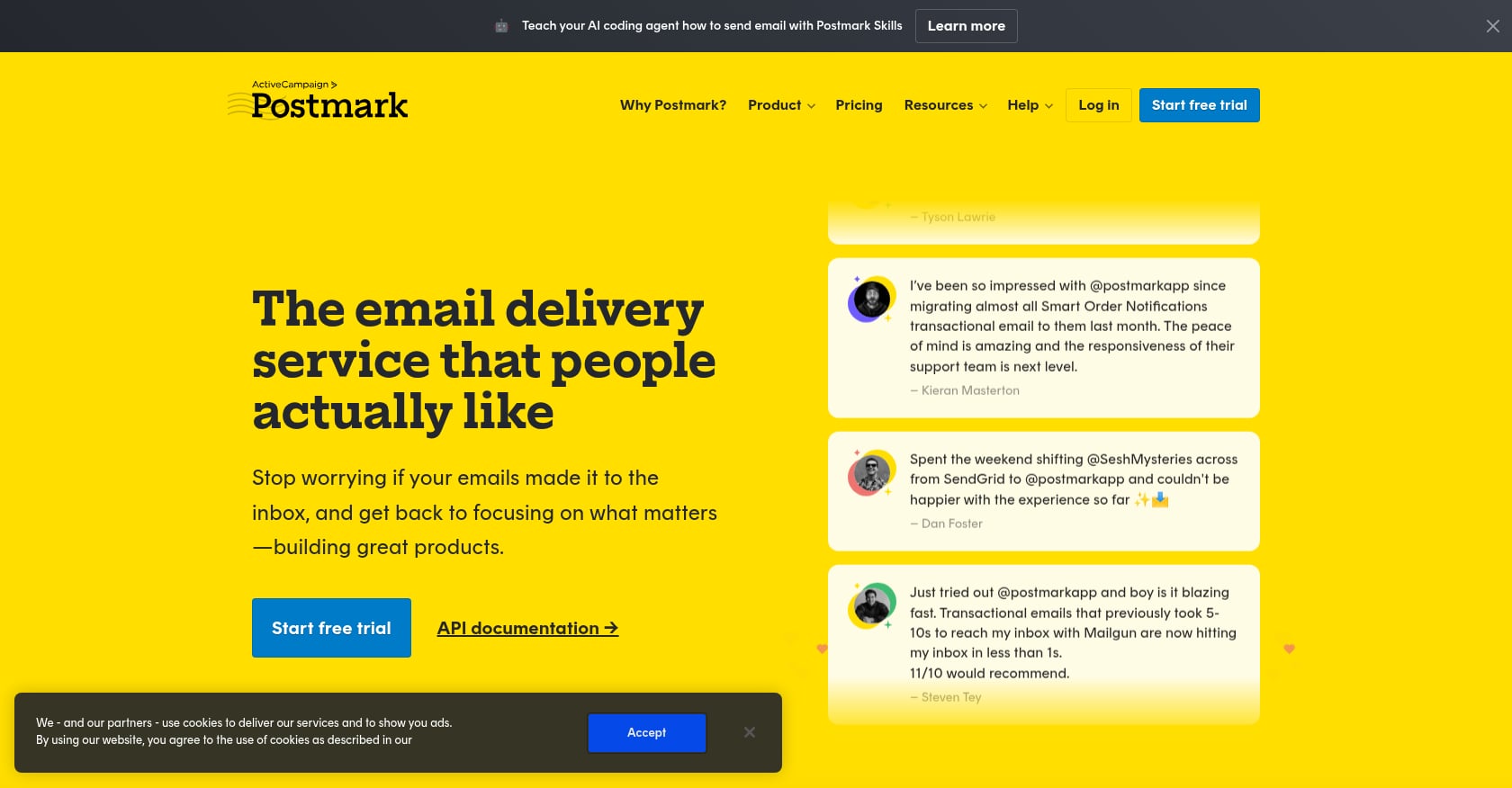
Best for: SaaS companies and ecommerce platforms where transactional email must arrive fast and reliably.
Postmark has carved out a reputation by focusing almost exclusively on transactional email. It separates message streams, offers strong support, and openly publishes delivery metrics.
Pricing:
- Free developer plan: 100 emails/month
- Basic 10k plan: approximately $15/month
- Volume-based pricing scales from there
- Managed dedicated IPs available for senders at 300,000+ emails/month
Key features:
- Transactional-first architecture with message streams
- SMTP and API sending
- Webhooks and inbound processing
- Strong support reputation
- Managed dedicated IPs for high-volume senders
User sentiment:
Postmark is widely praised in developer communities for transactional deliverability and support quality. Some Reddit users have reported isolated deliverability incidents and occasional support frustrations, which is a reminder that no provider is infallible.
Tradeoffs:
- Not the cheapest option at scale
- Not positioned as a marketing automation suite
- Dedicated IP requires substantial monthly volume
- Limited tooling for bulk promotional campaigns
Verdict: Best if transactional email is mission-critical and you value support. Not the right choice if your primary need is low-cost bulk marketing or cold outreach infrastructure.
6. Mailjet

Best for: EU-oriented teams that need marketing, transactional sending, and real-time collaboration in one platform.
Mailjet combines a marketing campaign builder with transactional API and SMTP relay, wrapped in a collaborative email editor that lets multiple team members work on the same template simultaneously.
Pricing:
- Free: 6,000 emails/month (200/day cap)
- Starter: $9/month for 8,000 emails
- Essential: $17/month for 15,000 emails
- Premium: $27/month for 15,000 emails with advanced features
- Dedicated IP available on 100k+ plans
Key features:
- Real-time collaborative email editor
- Marketing campaigns and transactional API/SMTP
- Segmentation and templates
- Email validation and previews on paid tiers
- EU and GDPR-friendly positioning
- Volume-based pricing
User sentiment:
G2 shows Mailjet at 4.0 out of 5 from 173 reviews, with users praising ease of use, GDPR compliance, and the collaborative editor. TechRadar’s 2026 review highlights value but warns that lower-tier support is mostly self-service and automation trails deeper marketing platforms.
Tradeoffs:
- Support is heavily tiered; entry plans get limited human help
- Automation capabilities are not as deep as specialist tools
- Free plan has a strict daily sending cap
- Account verification during onboarding can add friction
Verdict: Best if you want email marketing services that combine marketing and transactional email with team collaboration and EU-friendly data handling. Not ideal if you need deep automation or fast human support on entry plans.
7. Brevo
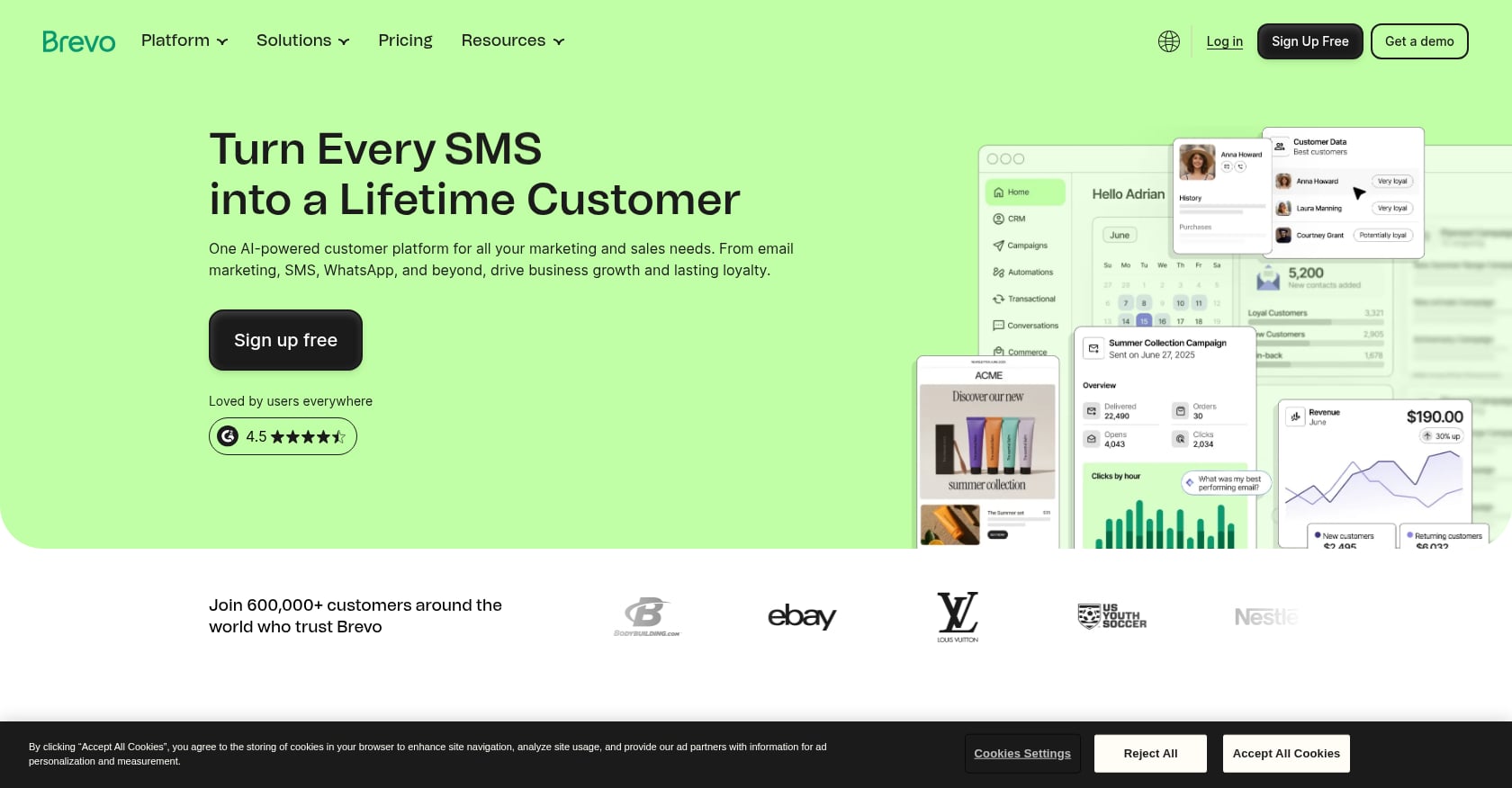
Best for: Small and midsize businesses wanting email marketing, transactional email, SMS, CRM, and automation under one roof.
Brevo (formerly Sendinblue) is the broadest all-in-one platform on this list. It covers email campaigns, transactional messages, SMS, WhatsApp, live chat, CRM, and marketing automation, all with send-based pricing rather than contact-based.
Pricing:
- Free: 300 emails/day, up to 100,000 contacts
- Starter: from $9/month
- Standard: from $18/month
- Professional: from $499/month
- Enterprise: custom
Key features:
- Email campaigns and marketing automation
- Transactional email via SMTP and API
- CRM and contact management
- SMS and WhatsApp messaging
- Send-based pricing (unlimited contacts on some plans)
User sentiment:
TechRadar praises Brevo’s affordability, ease of use, and multi-channel breadth while noting data import issues, limited landing pages, and tiered support. A Reddit cold email discussion warned that Brevo works well for transactional and marketing volume but is not built for high-risk cold sending patterns on shared IP pools. That is an important distinction: Brevo is a strong SMB marketing platform, not cold email infrastructure.
Tradeoffs:
- Not designed for cold outreach
- Advanced features require higher-priced tiers
- Some users report import friction and support delays
- Dedicated IP is not a core entry-level feature
Verdict: Best if you want a budget-friendly all-in-one marketing platform. Not the right fit for dedicated SMTP infrastructure, cold email, or agency white-label resale.
8. SMTP2GO

Best for: Websites, apps, and teams that want simple SMTP relay with excellent support.
SMTP2GO has quietly built one of the strongest reputations for ease of use and customer support in the SMTP relay category. It is popular with WordPress sites, ecommerce platforms, and small teams sending server notifications.
Pricing:
- Free: 1,000 emails/month
- Starter: approximately $10/month for 10,000 emails
- Professional: approximately $75/month for 100,000 emails
- Dedicated IP included on Professional plan
(Verify exact pricing before purchasing, as listing sources show minor variations.)
Key features:
- SMTP relay with API and webhooks
- Reporting and analytics dashboard
- Bounce and spam complaint visibility
- Email testing tools on professional plans
- Dedicated IP on professional tier
User sentiment:
SMTP2GO holds a 4.7 out of 5 on G2 from 226 reviews, with users consistently praising ease of use, reliable delivery, and responsive support. Trustpilot shows 4.8 out of 5 from over 1,700 reviews. The most common criticism is that pricing can feel higher than some alternatives for high-volume sending.
Tradeoffs:
- Not the cheapest at high volume
- Free plan is restrictive for multi-domain or agency use
- Not a marketing automation suite
- Still requires proper domain verification and sending hygiene
Verdict: Best if you want easy SMTP relay and strong support. Not ideal for agency white-label resale, deep marketing automation, or the lowest possible bulk cost.
9. SMTP.com
Best for: High-volume SMTP relay buyers willing to scrutinize billing and support terms before committing.
SMTP.com focuses on SMTP relay and high-volume sending, positioned as a straightforward delivery service.
Pricing:
- Essential: $25/month
- Starter: $80/month
- Growth: $300/month
Key features:
- SMTP relay
- Reporting and analytics
- High-volume plan structure
- Dedicated IP options
User sentiment:
Honest disclosure matters here. G2 shows SMTP.com at 3.3 out of 5 from 42 reviews. Users praise deliverability and reporting when things work, but commonly criticize cancellation policies, support transparency, and unexpected charges. Trustpilot shows 1.8 out of 5 from 76 reviews, with billing complaints dominating. The company does respond to negative reviews, but the pattern is consistent enough to warrant caution.
Tradeoffs:
- Lowest review scores among providers on this list
- Cancellation and billing complaints appear repeatedly
- Requires careful contract and terms review before signing
- Support experience is inconsistent based on user reports
Verdict: Best if you want a high-volume SMTP relay and are comfortable doing extra vendor diligence upfront. Not the right choice if simple cancellation and transparent billing are priorities.
Shared IP vs. Dedicated IP: What Actually Matters
The shared versus dedicated IP question is one of the most misunderstood decisions in email sending.
Shared IPs pool sending reputation across multiple customers on the same provider. The provider manages pool health, and senders benefit from established IP reputation without needing to warm anything up. For lower-volume or inconsistent senders, shared IPs are often the better choice.
Dedicated IPs give you full control over your own sending reputation. Every bounce, complaint, and engagement signal on that IP belongs to you alone. This is valuable for high-volume senders with clean lists and consistent schedules.
But dedicated IPs are not a magic fix. AWS explicitly recommends shared IPs for senders without large, regular, predictable volume. A dedicated IP with low or erratic volume cannot build the reputation needed to reach inboxes reliably. As Matt Jesuele noted on LinkedIn, dedicated IPs with inconsistent sending can actually perform worse than shared IPs with good history.
A cold email discussion on Reddit captured the tradeoff well: dedicated SMTP is a “power tool” that gives full reputation control but punishes sloppy fundamentals, because every list-quality mistake and bounce spike hits your own reputation directly.
Before requesting a dedicated IP, ask yourself:
- Do you send enough volume consistently (typically 50,000+ per month minimum)?
- Are SPF, DKIM, DMARC, and rDNS fully configured?
- Do you have bounce and complaint handling in place?
- Can you warm up gradually over two to four weeks?
- Is your list genuinely permission-based?
- Are marketing and transactional email streams separated?
If you answered “no” to more than one, shared IPs are probably the safer bet. DirectinboxSMTP’s anti-spam policy outlines expectations around permission-based sending, which applies regardless of IP type.
Delivery Rate vs. Inbox Placement: The Metric That Tricks You
A 99% delivery rate is not the same as 99% inbox placement. If 30% of accepted emails land in spam, your campaign still fails.
Here is the distinction:
- Delivery rate measures whether the receiving server accepted the message. Accepted does not mean visible.
- Inbox placement measures whether the message landed in the primary inbox or a visible tab.
- Spam placement means the email was technically delivered but buried where recipients never look.
- Missing or deferred means the message was not accepted, delayed, or lost entirely.
Most ESP dashboards show delivery rate. Few show inbox placement, because measuring it requires seed testing across mailbox providers. When evaluating a provider’s deliverability claims, ask specifically about inbox placement data, not just “delivery rate.”
A recent Reddit thread put this bluntly: deliverability is roughly 20% vendor and 80% hygiene. Poor authentication, sudden list blasts, and mixing risky marketing campaigns with critical transactional mail can sink even the best ESP. No email service provider can guarantee inbox placement.
Hidden Costs to Check Before You Buy
Starting prices grab attention. Total cost of ownership determines whether you made a good decision. Before committing to any bulk email service provider, check these:
- Overage fees: What happens when you exceed your plan’s email cap mid-month?
- Dedicated IP add-ons: Some providers include dedicated IPs on higher tiers; others charge $20 to $50+ per month per IP.
- Email validation credits: Cleaning your list often costs extra.
- Log and data retention: Some providers delete delivery logs after 3, 7, or 30 days. Debugging a deliverability problem from last month becomes impossible.
- Support tier upgrades: Basic plans often include only email tickets with multi-day response times. Phone or live chat support typically requires a higher plan.
- Warmup time: A new dedicated IP takes two to four weeks of gradual volume increase. Impatient warmup leads to blocks.
- Engineering time: A “cheap” provider that requires custom bounce processing, webhook parsing, and monitoring dashboards can cost more in developer hours than a managed service at twice the sticker price.
- Migration support: Will the provider help you move from your current ESP, or are you on your own?
The cheapest ESP is not always the cheapest email program. DirectinboxSMTP’s email campaign services include managed setup and support, which can reduce the hidden engineering and troubleshooting costs that accumulate with DIY infrastructure.
ESP Migration Checklist
Switching providers is stressful but sometimes necessary. Follow this sequence to protect your sender reputation during the transition:
- Export suppression lists (bounces, unsubscribes, complaints) from your old provider.
- Audit and update SPF, DKIM, and DMARC records for your sending domains.
- Set up a branded tracking domain on the new provider.
- Configure a custom return-path or bounce domain.
- Set up rDNS for any dedicated IPs.
- Separate marketing and transactional email into different streams or IP pools.
- Warm up new IPs gradually, starting at 10 to 20% of your normal volume.
- Monitor bounces, complaints, and inbox placement daily during the first two weeks.
- Keep the old provider active during cutover in case you need to fall back.
- Test delivery to Gmail, Outlook, Yahoo, and corporate inboxes separately, as each has different filtering behavior.
Frequently Asked Questions
What is the best email service provider for bulk email?
It depends on your team’s technical depth. DirectinboxSMTP is a strong choice for teams that want managed SMTP with dedicated IPs and support. Amazon SES is cheaper per email but requires significant engineering. SendGrid and Mailgun offer API-driven bulk sending with more self-service tooling.
Do I need a dedicated IP for email marketing?
Not always. Shared IPs work well for most senders below 50,000 emails per month. Dedicated IPs make sense when you have consistent, high volume and want full reputation isolation. AWS recommends shared IPs for senders without large, regular sending patterns.
What is the difference between SMTP relay and an ESP?
An SMTP relay handles email delivery infrastructure, accepting messages via SMTP protocol and routing them to recipients. An ESP typically wraps SMTP relay with additional tools like campaign builders, automation, analytics, suppression management, and deliverability features. Some providers focus on the SMTP layer with managed support. Others bundle SMTP with full marketing suites.
Why are my emails going to spam even with a good ESP?
Common causes include missing SPF, DKIM, or DMARC authentication, sending to purchased or unverified lists, sudden volume spikes, high bounce or complaint rates, and mixing cold outreach with transactional email on the same IP. The ESP provides infrastructure, but sending practices determine inbox placement.
Is Amazon SES better than SendGrid?
SES is cheaper per email but requires your team to build bounce handling, complaint processing, suppression management, and monitoring. SendGrid includes more out-of-the-box tooling and marketing features but costs more and has received criticism about shared IP quality on lower tiers. The better question is whether your team can handle raw infrastructure or needs a more managed experience.
What are SPF, DKIM, DMARC, and rDNS?
SPF (Sender Policy Framework) specifies which servers can send email for your domain. DKIM (DomainKeys Identified Mail) adds a cryptographic signature to verify message integrity. DMARC (Domain-based Message Authentication, Reporting, and Conformance) tells receiving servers what to do when SPF or DKIM checks fail. rDNS (reverse DNS) maps an IP address back to a hostname, helping mailbox providers verify sender identity. All four are now baseline requirements for reaching Gmail and Yahoo inboxes.
Can I use one ESP for both marketing and transactional email?
You can, but separation is strongly recommended. Marketing campaigns carry higher deliverability risk (complaints, unsubscribes, variable engagement) that can affect transactional email reputation if they share the same IP or sending domain. Most experienced senders use separate message streams, separate IPs, or even separate providers for marketing and transactional email.
How much should an email service provider cost?
Costs vary widely. At 100,000 emails per month, expect to pay anywhere from $10 (Amazon SES) to $75 to $155+ (managed SMTP providers like SMTP2GO or DirectinboxSMTP). Factor in dedicated IP fees, support tiers, validation, and engineering time. The right comparison is total cost of ownership, not starting price.
If you are still weighing options, talk to an SMTP specialist who can help match your sending volume, use case, and budget to the right plan.